On this page
When buying Polo Ralph Lauren shorts, the listed price, promo hints, or coupon entry on the page cannot be directly equated to the final amount due. What you really need to confirm is: whether the offer applies to the current item, whether you've met the threshold, whether the discount is actually applied at checkout, and whether the deducted amount matches the order details. 
When buying Polo Ralph Lauren shorts, the listed price, promo hints, or coupon entry on the page cannot be directly equated to the final amount due. What you really need to confirm is: whether the offer applies to the current item, whether you've met the threshold, whether the discount is actually applied at checkout, and whether the deducted amount matches the order details.
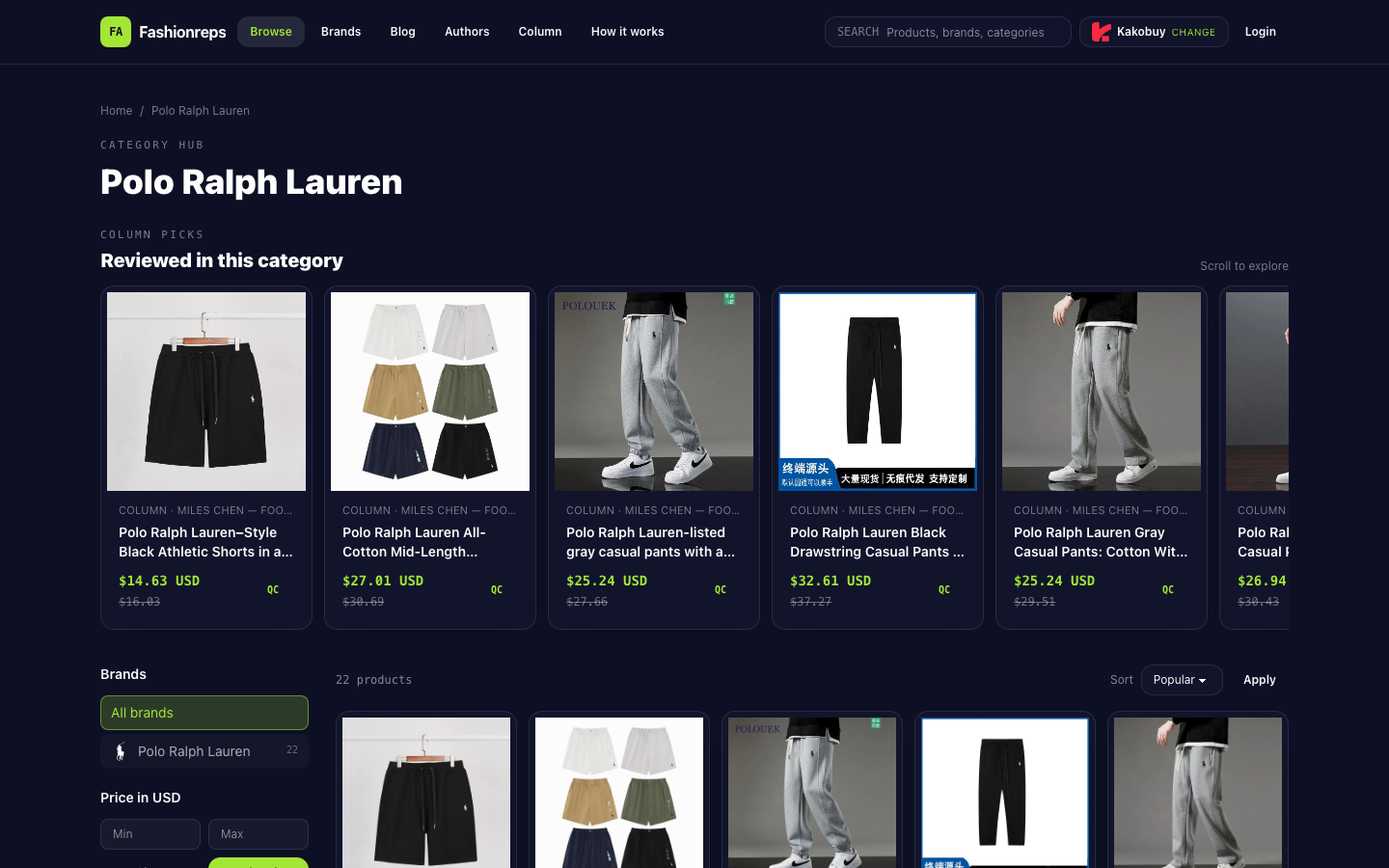
The image shows Fashionreps' current Polo Ralph Lauren category page and purchase platform selection interface, and cannot be used as proof of a specific coupon, discount amount, or final checkout price.
Distinguish Between Reference Price and Checkout Discount
The current page displays multiple Polo Ralph Lauren style shorts and casual pants, with USD reference prices and previous reference prices. For example, two shorts on the page have reference prices of $14.63 and $27.01, alongside corresponding previous reference prices. These numbers only indicate the displayed price information on the page and cannot prove that a coupon has been applied or derive the actual savings after checkout.
The page also provides purchase platform selection. Clicking "Buy" will take you to the selected shopping agent's process, so coupon availability, thresholds, exclusions, and final costs must be based on the actual shopping agent page and order checkout details. The product display on Fashionreps' category page alone cannot confirm whether a specific coupon code is valid.
Check in This Order Before Checkout
1. Record Item and Page Status
First, save the following information:
- Product name, color, and size
- Reference price shown on the page
- Date and time of page check
- Currently selected purchase platform
- Promotional text, coupon entry, and restriction notes displayed on the product or category page
If the page does not show a copyable, verifiable coupon code or complete offer terms, do not fill in discount numbers yourself, and do not treat the previous reference price as a confirmed discount.
2. Check Offer Applicability
After entering the selected shopping agent, first confirm that the offer clearly includes the current item. Focus on checking:
- Whether it is limited to a specific product, brand, category, or store
- Whether it is limited by color, size, quantity, or new user status
- Whether the threshold is based on item amount or order amount
- Whether it excludes sale items, items already in promotions, or certain brands
- Whether the discount applies only to the item amount, not shipping, service fees, or other charges
If the terms do not clearly state that Polo Ralph Lauren shorts are included, treat the offer status as unconfirmed.
3. Confirm Validity Period and Usage Conditions
Coupons usually require satisfying validity period, minimum amount, and usage limits simultaneously. Before checkout, check whether the page clearly states:
- Start and end time, including time zone
- Minimum spending amount
- Usage limit per account or order
- Whether login, account binding, or specific actions are required
- Whether it can be combined with other promotions
Current verifiable materials only show Fashionreps' product categories and purchase platform selection, without specific coupon code, discount rate, validity period, threshold, exclusions, or stacking rules. Therefore, you cannot assert that a coupon is definitely usable or promise a certain savings amount.
4. Verify Actual Deduction at Checkout
After adding items to cart, go to the order confirmation or pre-payment page and check the following amounts item by item:
| Check Item | What to Confirm |
|---|---|
| Item Amount | Whether it corresponds to the current item, quantity, and size |
| Coupon Status | Whether it shows as used, applied, or equivalent clear status |
| Discount Amount | Whether an actual deduction appears, not just promotional text |
| Shipping and Other Fees | Whether they are excluded from the discount and calculated separately |
| Final Amount Due | Whether it equals the result of adding/subtracting all amounts in the order details |
Only when the order details clearly show the discount applied and the final amount due changes accordingly can you consider the discount verified. "Claimable", "may apply", or an input box on the page does not mean the discount is active.
Don't Pay in These Situations
If the coupon does not deduct after entry, do not repeatedly submit the order. Record the error message and check whether the item amount, threshold, validity period, and applicability are met.
If the item is marked as not applicable, or the discount only reduces part of the fees, rely on the actual checkout details. Do not force the threshold by changing quantity, color, or size unless you actually need those items, because the increased spending to meet the offer may exceed the discount amount.
If the displayed item price, discounted amount, and final amount due are inconsistent, pause payment, save screenshots of the product page, offer details, cart, and checkout page, and contact the relevant shopping agent's customer service. Current materials do not provide specific agent customer service rules or refund promises, so we cannot judge for you whether abnormal charges will definitely be refunded.
Final Checklist
Before submitting the order, at least confirm:
- The purchase platform matches expectations
- Product, color, size, and quantity are correct
- The offer applicability includes the current item
- Threshold, validity period, and exclusions are met
- The checkout page shows the actual discount amount
- Shipping and other fees are separately verified
- The final amount due matches the order details
If there is no verifiable coupon code or complete terms, the safest approach is to treat the offer as unconfirmed and decide based solely on the real amount shown at checkout.
Editor score 4.2 / 5