On this page
The Purchase Decision This Platform Comparison Must Resolve This guide addresses a specific problem: when the same category of accessories appears on both fashionreps content pages and LitBuy platform pages, how to first unify product evidence before deciding whether to proceed with an order. After reading, you should be able to save traceable records from both platforms, determine whether they refer to the same product, and
By Nathan ColeNathan Cole is Editor-in-Chief, covering residential and commercial lighting specification, LED driver behavior, illuminance and color measurement, and dimmer compatibility. They write most bulb and fixture reviews, keep the paper calibration log, and sign off on every final score. The bench protocol covers three illuminance distances, spectrometer readings at full, mid, and low dim, and a photodiode flicker run on the dimmer wall before scoring discussion. Every scored product requires a 30-day in-room period, and Nathan finalizes a score only when two of the three editors agree on the bench record.
The Purchase Decision This Platform Comparison Must Resolve
This guide addresses a specific problem: when the same category of accessories appears on both fashionreps content pages and LitBuy platform pages, how to first unify product evidence before deciding whether to proceed with an order. After reading, you should be able to save traceable records from both platforms, determine whether they refer to the same product, and pause the comparison or request supplementary information when evidence is insufficient.
This article only discusses the method of verifying page evidence and does not interpret page differences as proof of quality, authenticity, inventory stability, or service superiority. Page information can change, so record the actual viewing date and destination conditions when verifying.🙂

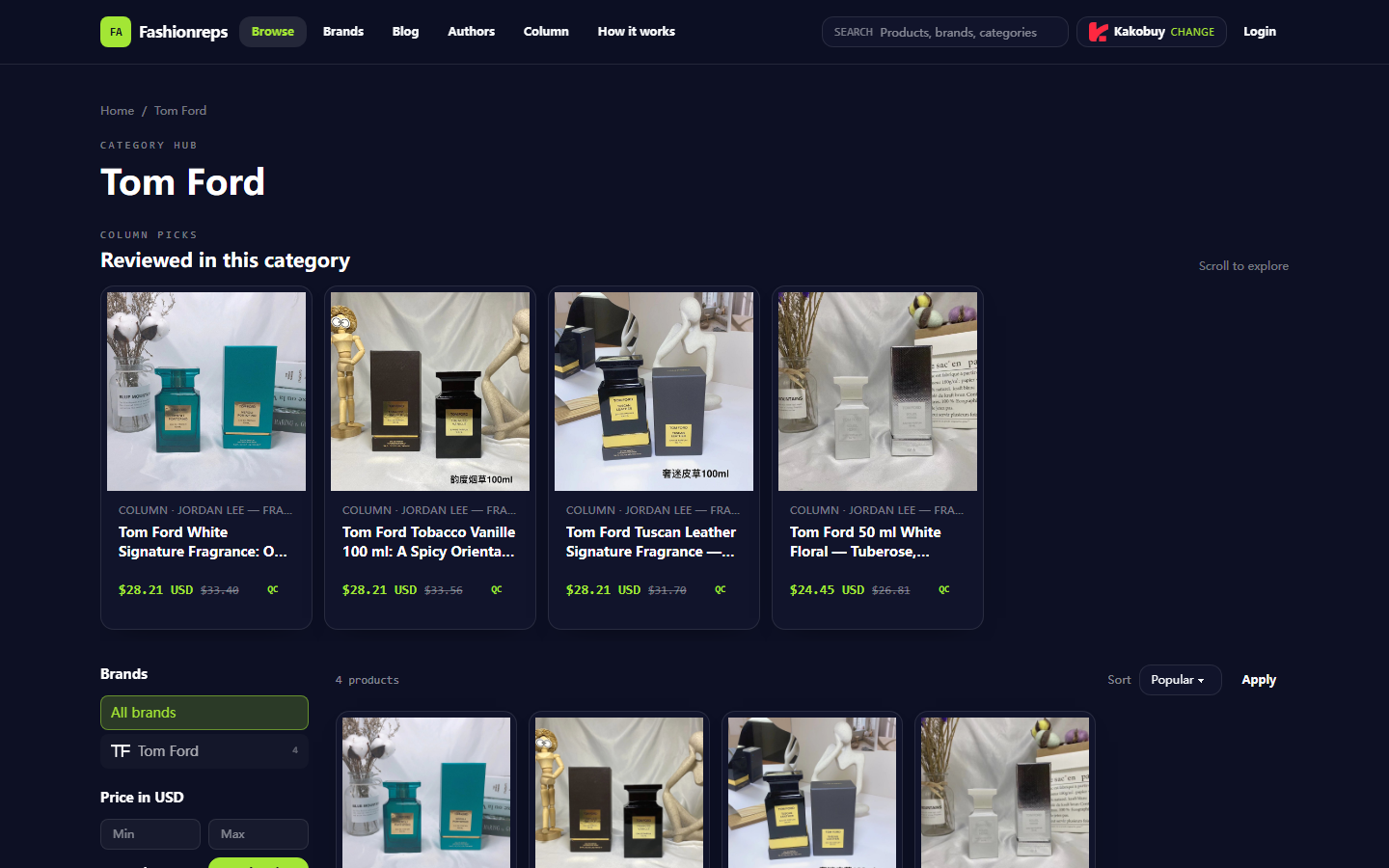
Image: An illustration of the category and content entry points provided on the fashionreps page. The image only shows the page presentation and cannot independently prove product identity, quality, or platform fulfillment capability.
Record Product Title, Style, Color, Specifications, and Page Evidence on Fashionreps
First, treat the fashionreps page as an entry point for discovering and organizing evidence, not as a direct ordering, payment, or logistics system. When recording, save at least the following fields:
- Page title and the category the page belongs to.
- Style, color, specifications, or capacity fields clearly shown on the page; mark any fields not displayed as "no page evidence".
- Visible images and their corresponding captions; do not write details that cannot be confirmed from the images as established facts.
- Page update time or verification date; if the page does not show an update time, record "page does not show update time".
- Whether the page opens normally, and whether there are redirects, empty pages, or error messages.
- Candidate numbers generated before entering an external shopping platform to avoid later mixing up multiple similar pages as one item.
Editorial notes, category information, and reference content on fashionreps pages cannot replace real-time product fields on LitBuy pages. The fact that a page displays certain information only proves that the information was visible at the time of verification, not that it will remain valid thereafter.
Find the Corresponding Product on LitBuy and Save Current Visible Page Evidence
After entering LitBuy, search using keywords, image clues, or page context consistent with the candidate record. Once you find a candidate page, save the currently visible evidence rather than just noting a vague name.
Recommended records:
- The product title or identifying text shown on the LitBuy page.
- Visible specifications, colors, variants, and quantity selection options.
- Product images, image count, and their correspondence with the candidate record.
- Whether the page shows availability status, inventory warnings, or other restriction notes.
- The update time, verification date, and destination-related conditions shown on the page; do not fill in fields that are not displayed.
- Whether the page can still be opened, and whether there are jumps, failures, or incomplete displays.
LitBuy page evidence can only indicate what the platform displayed at that time. Unless the official page explicitly provides a certain process or field, do not add button names, review steps, warehouse status, or after-sales promises that do not appear.🔎
How to Create a Comparison Table for Product Entry, Specification Fields, Images, and Variants
The key to comparison is not title similarity, but whether multiple fields correspond simultaneously. You can use the following minimal record structure:
| Verification Field | Fashionreps Record | LitBuy Record | Judgment Method |
|---|---|---|---|
| Product identifying text | Page original text | Page original text | Compare only explicitly shown text |
| Style and color | Page displayed content | Page displayed content | Missing fields cannot be treated as identical |
| Specifications or quantity | Page displayed content | Page displayed content | Check item by item, avoid substituting with default options |
| Image clues | Visible image features | Visible image features | Image similarity does not equal same source |
| Page status | Accessible, redirect, or invalid | Accessible, redirect, or invalid | Record verification date |
If a field is missing on one page, mark it as "cannot verify" rather than "same". If titles are the same but specifications, images, or variants are inconsistent, split them into two candidate records.
What QC Images, Main Product Images, and Community Feedback Can Indicate
Main product images are typically used to identify the displayed object and variants on the page and are insufficient to prove the physical condition. QC images, if they indeed come from a specific order or warehouse process, can only help verify visible appearance when the source, correspondence, and shooting scope are clear; they cannot replace independent verification of material, size, durability, or authenticity.
Community feedback should be treated as clues rather than conclusions. Record the page, time, and discussion context corresponding to the feedback; do not generalize a single comment, number of likes, or blurry image into a universal evaluation. If the discussion cannot be fully read, mark it as partially read and do not claim to have completely understood all opinions.
Store the three types of evidence separately:
- Main images: used to identify page presentation.
- QC images: used to verify limited visible details in a specific batch or order.
- Community feedback: used to discover issues that need further investigation.
This layering can reduce the risk of miswriting "looks similar" as "confirmed".🧾
How to Note Page Price, Inventory, Link Status, and Update Time Separately
Price, inventory, link status, and update time are all highly volatile information and should not be mixed into product identity judgment. Record each separately during every verification:
- Price: note the currency, specifications, quantity, and verification date shown on the page; if not displayed, do not fill in speculative values.
- Inventory: distinguish between "page shows selectable", "page shows out of stock", and "page does not state".
- Link status: distinguish between normal opening, redirect, empty page, error page, and cannot confirm.
- Update time: prioritize recording the time explicitly shown on the page; if no time, record the verification date and note that the page does not provide an update time.
- Applicable conditions: destination, shipping method, variant, or account status may affect page results; when conditions are missing, do not compare final cost or availability.
Do not merge fashionreps reference information with LitBuy current page information into a single "final fact". Keep separate sources and verification times for both.
Conditions for Stopping Comparison When the Two Platforms Cannot Confirm the Same Product
Stop comparing the two pages as the same product if any of the following occurs:
- Key specifications, colors, or variants cannot be matched.
- One side has only category or overview information, while the other shows different specific options.
- Images have obvious differences, but there is no reliable evidence to explain the source of the difference.
- The page has redirects, failures, or only tag information remains.
- Price, inventory, or shipping conditions lack the same destination and variant conditions.
- Correspondence can only be established based on title similarity, search ranking, or community guesses.
Stopping the comparison does not mean judging one platform as worse; it means the current evidence is insufficient. The next step can be to request supplementary page screenshots, specification details, variant explanations, or traceable product identifiers; before evidence is complete, the candidate should not be added to a confirmed ordering list.
Platform Page Differences Alone Cannot Infer Quality, Authenticity, or Service Quality
Title, image order, field names, or page layout differences between the two platforms may stem from data synchronization, display templates, variant selection, or update time differences. These differences alone cannot infer product quality, brand authenticity, seller reliability, warehouse handling quality, after-sales results, or logistics performance.
Similarly, an option displayed on a page does not mean it is available in all destinations and at all times. When it comes to payment, shipping, customs, and returns/exchanges, follow the official descriptions and order-process information currently visible on the respective platforms and keep the verification date.
Final Action: Keep Traceable Candidates, Request Additional Evidence, or Pause Ordering
After completing the verification, divide candidates into three categories:
- Traceable candidates: key identifying fields on both pages match, page status is accessible, and verification date and missing fields have been recorded.
- Candidates pending evidence: potential correspondence exists, but specifications, image sources, variants, or page status are still incomplete.
- Paused candidates: key fields conflict, pages are invalid, or reliance is solely on title similarity and unverified feedback.
Only the first category is suitable for the next step of manual confirmation. For the second category, request additional evidence first; for the third category, pause ordering. This may increase verification time once but reduces the risk of decisions based on mismatched products, wrong variants, or outdated pages. It suits those who need to maintain an evidence chain, have clear requirements for product identity, and are willing to delay purchase when evidence is insufficient; if you cannot save page records or cannot confirm destination and variant conditions, it is not recommended to continue comparing based solely on search results.
Platform page information in this article should be re-verified before actual operation. The article is compiled by Panda-Buy Editorial Desk from an editorial perspective, using automated content and page evidence checks, and does not represent actual consumer purchase, receipt, or testing.
Agent Platform Shopping FAQ
1. What kinds of merchandise can I find on litbuyjordan.com?
litbuyjordan.com carries a wide selection of items across multiple categories, such as footwear, T-shirts, sweaters, hoodies, jeans, joggers, shorts, swim trunks, factory clearance deals, puffer jackets, baseball jerseys, button-up shirts, caps, accessories, bags, electronic gadgets, sunglasses, socks, undergarments, and popular collectibles.
Editor score 4.2 / 5